Free images tag: webs.com
humax-foxsat-not-booting.webs.com
Technology June 3, 2024 0
With the demise of the webs.com hosting all the nice and all the poor webs.com sites have been removed from the webs server that now redirects to an unhelpful Vistaprint site. One of our customers has asked we resurrect their site here for them. We were happy to oblige and here is the new home for humax-foxsat-not-booting.webs.com

Your Humax Foxsat HD Freesat not booting or taking ages to start?
Includes 3rd Capacitor fix which fails on older or longer used boxes (updated)
You can find a solution below:
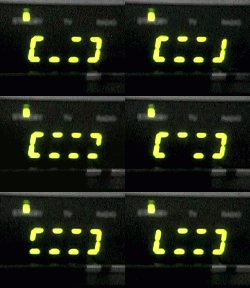
Rotating green lines on the display don't disappear
I was stuck with the rotating green lights on the display of my Humax Foxsat HD set-top box one evening. No sign of 'APPL' then the channel number on the green display. Powering down the STB (Set Top Box) and powering it back up again after a wait of 30 seconds or so (Power cycling) occasionally brought the box back to life, but it was getting worse. Eventually, the display would just get stuck on the green rotating lights, even after 30 minutes. Power cycling wouldn't fix it any more.

Firmware Update
My first step was to update the firmware and bootloader via the USB port on the back of the Humax Box. The firmware is available on the Humax website
A simple process (the USB port is on the rear of the Foxsat HD, under the ethernet port), put the firmware on a USB stick (one of these), rename it, attach the stick to the Humax Foxsat and press and hold the power button.
The upgrade went in ok, but didn't fix the very slow starting of the Humax.
Faulty Capacitors
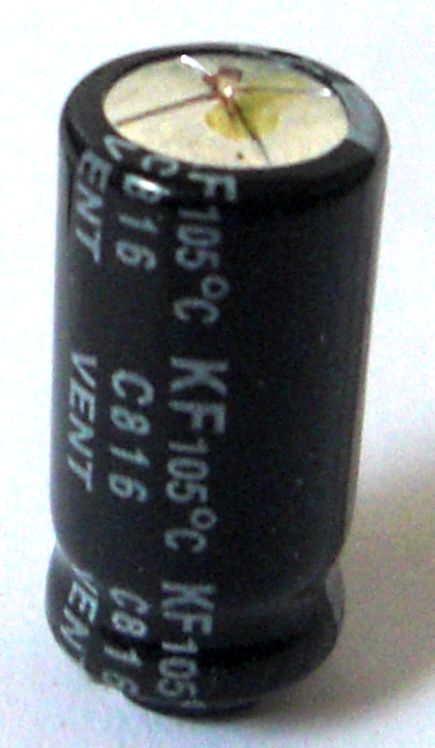
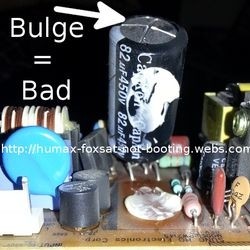
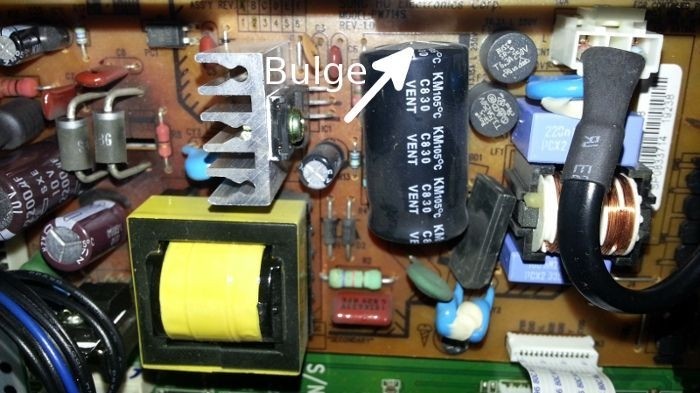
Faulty capacitors were once the killer of olden-day STBs (Set Top Boxes), but surely things have progressed since the first satellite television service was launched? There is only one way to find out and that is to open up the box and take a look. Faulty capacitors can have a tell-tale bulge on the top or some goo on the top that has leaked out or a bit of both (bulge and goo).
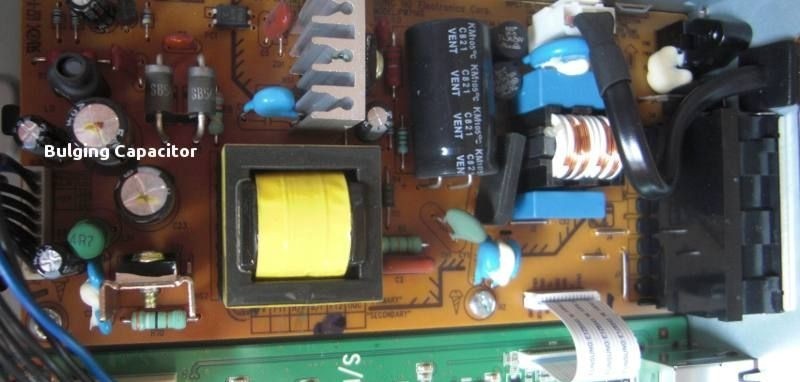
The cover is held on by several screws, easy to remove the top cover to reveal the mainboard and power supply board.
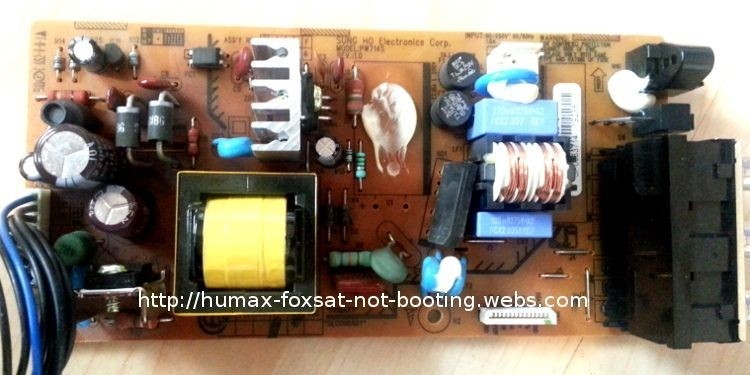
The picture is of the power supply board in the Humax Foxsat HD STB, One of the pair of capacitors on the left of the image has 'blown'. It's worth changing both capacitors because if one has gone, the other is soon to follow. Change just the pair, unless the others look suspect, then change these too. Don't forget which capacitors went where and their polarity!
Removing the power supply board is easy, the connectors pull off and two silver screws are holding the board to the case and two silver screws on the rear of the case holding the connectors to the rear panel. With the board out, replace the two capacitors. Observe the polarity and ensure you fit the new capacitors with the negative mark in the same position as the one you have removed. A thick black line on the board indicates negative and the capacitor will have a negative marking on the outside shell to indicate the negative lead.
Update:
Another capacitor is worth changing if it's 'bulging' or you want to do a fully covered job.
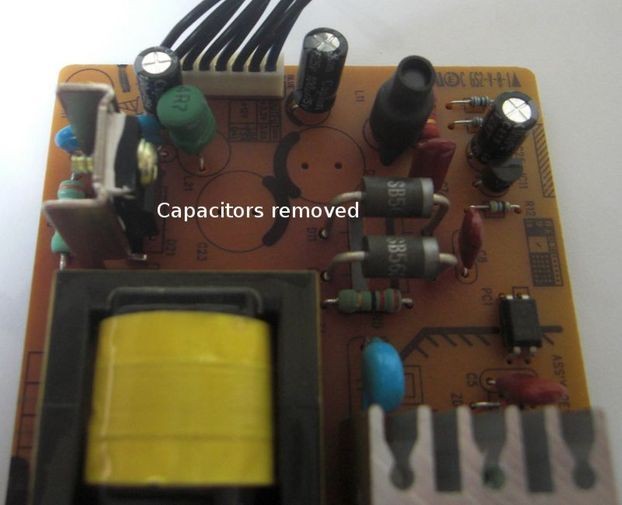
Capacitors removed by de-soldering (above)
New capacitors fitted (below)
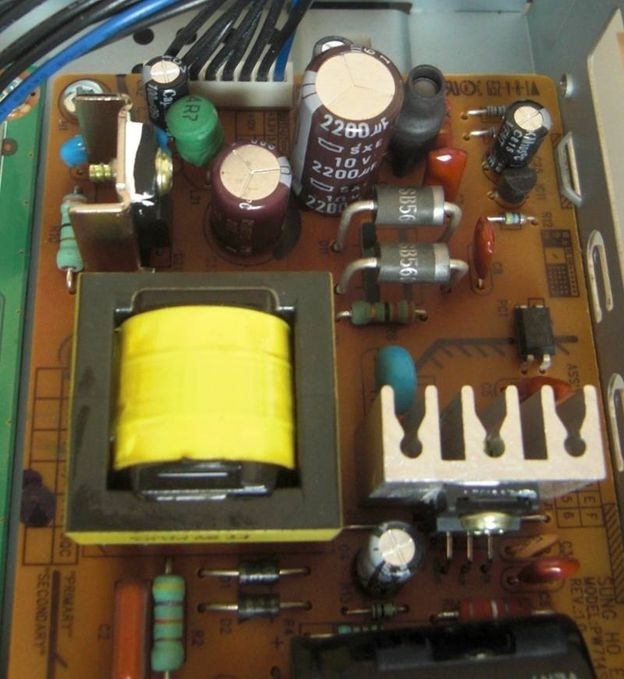
Fit the two new capacitors in the place of the old ones, noting the correct polarity, reassemble the power supply to the box, put the screws back, refit the cover and test! Hey Presto, an almost instant boot-up (well it feels instant).
Update:
While you are inspecting the 2 capacitors marked, also cast your eyes over the very large capacitor on its side and look for a bulging or curved top (silver cap) or bottom (black plastic with the legs). This capacitor has been known to fail eventually and after the other two smaller ones have been changed.
The largest capacitor may be glued down to the board and will need a bit of a tug to release the bond, but unsoldering and replacement are the same as the smaller two.
You may not need to change the large capacitor, you may want to change it just in case or you may want to change it if the boot-up failure reappears sometime after fitting the two smaller ones.
Parts Required:
RUBYCON CAPACITOR 2200UF 10V
RUBYCON CAPACITOR 680UF 25V
If the Rubycon Capacitors listed above are low on stock or are becoming difficult to find, they can be substituted with the Panasonic 105°C Capacitors listed below.
2200uf 10v Panasonic
and 680uF 25v Panasonic
Update:
The largest capacitor is marked as 82uF and 450V, you can find the long-life - KXJ version (10,000hour as opposed to 2000hour) replacements
If the 10,000 hour version is unavailable, use the 5000h Rubycon from Amazon
A new 3rd capacitor was fitted to complement the 2 smaller ones that had previously failed on the power supply board to fix the non-boot problem of the Humax FoxSat boxes.
The tools used
If you don't already have the tools, you will need these (and not very expensive)
- Soldering Set (Soldering Iron, De-soldering tool, Solder and Sponge)
or find a Soldering Iron Kit on Amazon. - Philips Number 2 Screwdriver
- Electronic flush side cutters to trim the capacitor leads after soldering them into the power supply board, use side-cutters
Some more pictures of the Humax Repair
Capacitors marked 1 and 2 are faulty
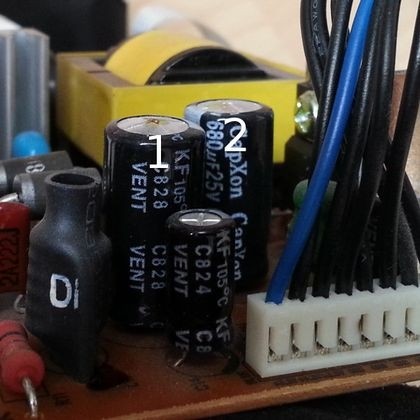
Bulging capacitors are faulty and need replacing
carefully identify the correct leads to desolder
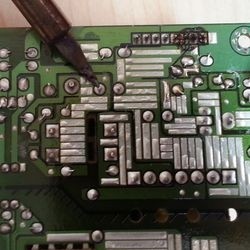
Capacitors unsoldered from the board - view from below
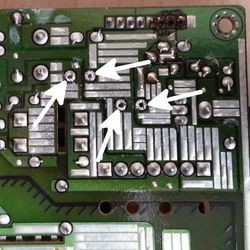
new capacitors soldered in position with leads bent slightly to hold them in place
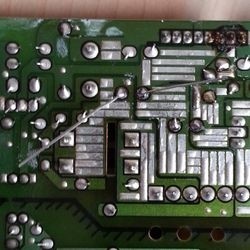
excess leads trimmed with side cutters after soldering
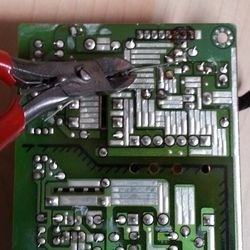
The 2 capacitors have their solder contacts marked with an arrow
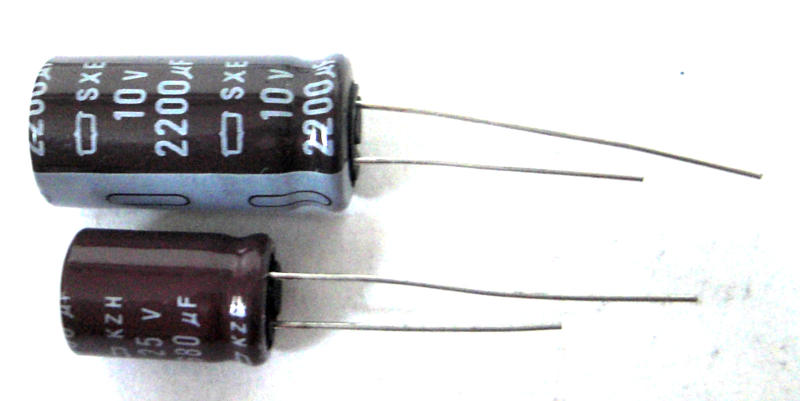
The bulging and failed capacitor problem is not unique to the Humax Foxsat, although it does have its share of these failures. There is an interesting story behind the problems that capacitor manufacturers found themselves in on the Wikipedia page. Well worth a read and you may find many other devices that have prematurely failed due to some very inexpensive and relatively easily replaced common components.