

Free images tag: Google
Google VPN is not Connecting (fix).
Technology July 11, 2023 0
VPN by Google One can encrypt and secure your internet traffic by using the Google Virtual Private Network to connect your phone to the internet.
One problem with the Google VPN is that it keeps disconnecting or won't connect. Sometimes it connects, and other times it won't. It is frustrating to have a paid service that just isn't reliable. With all this technology, why can Google make their VPN work properly? We have the fix for that.
Testing
There is a solution, but you can do some testing first to ensure the Google One VPN fix will suit your disconnecting problem.
Firstly

Test the VPN on WiFi only.
Switch off Mobile Data and see if the Use VPN gives you the 'Connected. Your online activity is private.' message.
You will expect to see a static 'VPN is connecting...' and the red failure message 'VPN has disconnected and trying to reconnect VPN...' in a constant loop.
Secondly

Test the VPN on Mobile Data only.
Switch off WiFI and see if the Use VPN gives you the 'Connected. Your online activity is private.' message.
At this point, it gets exciting if you do see the 'Connected. Your online activity is private.' message.
You think the problem may be solved, and the Google VPN now protects your internet.
Well, your VPN is working, but switch back to wifi only again and see the cycle of the VPN not working on wifi but working on mobile data (3G/4G/5G). This indicates the home router is the problem in this instance.
If your VPN works on mobile data but fails to connect when on WiFi, you can be quite confident that the home router is the problem and this solution will work for you.
Router
Most home routers have an additional setting, the web administration interface, often found at http://192.168.1.1 or http://192.168.1.254, but you can often find the router's address on the back or underside of it. Whatever the router's address, you need to log into the router with the username and password to change the settings. Your ISP could help you with this, particularly if they supplied your home router as part of the broadband package.
Settings

If you have a PlusNet router, you can find the setting here: http://192.168.1.254/broadband.htm then press VPN option.
To fix the Google VPN, the router setting you need to change is 'Port Clamping to ON.' If the port clamping is off, switch it on. If it's already on, toggle it off/on. Save the setting and wait. The router may reboot or take a few seconds to reconfigure the port clamping setting you have enabled.
Working

When the router is back online, and you have WiFi, do the testing again. Check if the Google One VPN will successfully connect to your WiFi. You should see the same 'Connected' message on WiFi as on the mobile data.

Is it not working?
Make sure you save the setting in the router. This may take an extra step to confirm the save. Return to the router and check that the port clamping setting is 'ON.'
If you still have VPN disconnects after the fix, try restarting the router to recreate the connection to the internet and kickstart the VPN.
Port Clamping
The solution is to use the port clamping setting in your router. This is what that settings does in the router:
This will set the internet key exchange to UDP port 500 rather than allowing a floating port - a setting sometimes required by older VPN clients to stay connected.
Every millisecond counts in today's fast-paced world, where users expect websites to load quickly. Website owners and developers must ensure that their website loads quickly and efficiently to provide an excellent user experience. Cloud caching services are one of the most effective ways to improve website performance. In this blog post, we will discuss the advantages of cloud caching and how services like Cloudflare and Ezoic can help improve website performance.
What is Cloud Caching?
Cloud caching is storing frequently accessed data in cache memory, a high-speed storage system that can be accessed quickly. When a user visits a website, the web page is loaded from the cache memory instead of fetching it from the server. This significantly reduces the load time and improves the website's overall performance. Cloud caching can be done in multiple layers, from the browser cache to the server cache and the CDN (Content Delivery Network) cache.
Advantages of Cloud Caching
Faster Website Loading Time
The primary advantage of cloud caching is the faster loading time of web pages. When a website is cached, the cached version of the web page is served to the user, which reduces the time taken to fetch the web page from the server. This results in a faster website loading time, which is critical for providing an excellent user experience. A faster website improves rankings, as search engines like Google prefer faster websites.
Improved Website Performance
Cloud caching improves website performance by reducing the load on the server. When a web page is cached, the server doesn't have to process every request for that web page. Instead, the web page's cached version is served, reducing the server load. This results in improved website performance and better scalability.
Reduced Server Load
Cloud caching reduces the load on the server, which is beneficial for websites with high traffic. When a website is cached, the server doesn't have to process every request for that web page. Instead, the web page's cached version is served, reducing the server load. This results in improved website performance and better scalability.
Cost-Effective
Cloud caching is a cost-effective solution to improve website performance. Using a cloud caching service, website owners can reduce their server load and improve website performance without investing in expensive hardware or infrastructure. This makes cloud caching an excellent option for small to medium-sized businesses that don't have the resources to invest in expensive hardware.
Better User Experience
A faster-loading website provides a better user experience, critical for retaining and converting users into customers. When a user visits a website, they expect it to load quickly; if it doesn't, they are likely to leave it. Using a cloud caching service, website owners can ensure that their website loads quickly, providing an excellent user experience.
Cloud Caching Services - Cloudflare and Ezoic
Several cloud caching services are available, but two of the most popular ones are Cloudflare and Ezoic. Both Cloudflare and Ezoic offer cloud caching services that can significantly improve website performance.
Cloudflare is a content delivery network (CDN) that provides cloud caching, DDoS protection, and other security features. Cloudflare's caching service is easy to set up and can significantly improve website performance. Cloudflare's cache works by storing frequently accessed files and pages in its cache memory, reducing the server's load and improving website performance.
Ezoic is an AI-driven platform that provides website optimization services. Ezoic's cloud caching service works by caching frequently accessed pages and files and serving them to users from the cache memory. Ezoic's caching service optimizes images and reduces file sizes, improving website performance.
Conclusion
Cloud caching effectively improves website performance, reduces server load, and provides a better user experience. Website owners can easily implement caching by using a cloud caching service like Cloudflare or Ezoic and enjoy the benefits without investing in expensive hardware or infrastructure.
Cloudflare and Ezoic are popular cloud caching services offering additional features like security and optimization. Cloudflare's content delivery network and security features make it an excellent choice for websites that require protection against DDoS attacks and other security threats. On the other hand, Ezoic's AI-driven optimization platform makes it an ideal choice for websites that require additional optimization features, such as image optimization and file size reduction.
Cloud caching is a powerful tool that significantly improves website performance and provides a better user experience. Website owners can easily implement caching by using a cloud caching service like Cloudflare or Ezoic and enjoy the benefits without investing in expensive hardware or infrastructure.
Keyword Analysis can help you find which key-words are working for your site. Armed with this information you can see who your competitors are, and how likely you are to beat them in the race for the top spot. Pick the easiest for you with the highest predicted traffic. Avoid going head-to-head with the competition, but make your own niche.
Niche
To conduct an SEO keyword analysis, you typically start by researching relevant keywords and phrases people search for in your industry or niche. You can use keyword research tools like Google Keyword Planner, SEMrush, Ahrefs, etc., to identify relevant keywords, their search volume, competition, and other metrics.
Prioritize
Once you have a list of keywords, you should prioritize them based on their relevance to your website and content, as well as their search volume and competition level. It would be best to consider the intent behind each keyword and whether it aligns with your website's content and goals.
Incorporating
After prioritizing your keywords, you can start incorporating them into your website's content, including page titles, meta descriptions, headers, and body text. However, using keywords naturally and not stuffing them into your content is essential, as this can harm your website's rankings and user experience.
Track
Finally, you should track your keyword rankings and adjust your SEO strategy based on your website's performance and user behaviour. SEO is an ongoing process, and you should continually refine your keywords and content to stay relevant and competitive.
Improving your SEO can help you rank more highly in the search results, bringing more clicks and more visitors to see your work.
Having a great website with useful and original, helpful content won't get the search engines excited without a good helping of SEO.
How to improve the SEO
We have listed 6 key items on the SEO list to focus your attention on ensuring your website is loved by the search engines as much as your visitors.
Optimize your website content.
Ensure your website has high-quality, unique, and relevant content related to your site's subject.
Use relevant keywords and phrases throughout your website content to make it easy for search engines to understand what your website is about. However, avoid keyword stuffing, which can negatively affect your website's ranking.
Improve website speed
A slow website can negatively impact your SEO. Use tools like Google PageSpeed Insights to test your website's speed and identify areas for improvement.
Use descriptive page titles and meta descriptions
Ensure that each page on your website has a unique and descriptive page title and meta description that accurately represents the content on that page. This will help search engines understand what your website is about and improve click-through rates.
Build quality backlinks
Backlinks from high-quality and relevant websites can help boost your website's authority and improve your search engine ranking. Contact other relevant websites and ask if they'd be willing to link to your website.
Utilize social media
Social media can be a powerful tool for promoting your website and building backlinks. Please share your website content on social media and engage with your followers to encourage them to share it.
Monitor your website analytics
Use tools like Google Analytics to track your website's traffic and identify areas for improvement. This will help you understand what content resonates with your audience and what areas of your website need optimization. Build on what works and expand on the topics that bring your visitors.
By following these six basic tips, you can improve the SEO of your website and increase your website's visibility to search engines.
Years 2013 to 2022 for mobile search traffic vs desktop-based searches show a clear tipping point in 2017 when the desktop lost its crown and mobile became king.
| Year | Mobile | Desktop |
| 2013 | 16.2% | 83.8% |
| 2014 | 23.4% | 76.6% |
| 2015 | 33.4% | 66.6% |
| 2016 | 43.6% | 56.4% |
| 2017 | 50.3% | 49.7% |
| 2018 | 58.2% | 41.8% |
| 2019 | 63.4% | 36.6% |
| 2020 | 68.1% | 31.9% |
| 2021 | 72.6% | 27.4% |
| 2022 | 76.9% | 23.1% |
10 Years Rise
Over the last decade, the rise of mobile devices has revolutionized how people access the internet, significantly impacting search behaviour. With more and more people turning to their smartphones and tablets to browse the web, search engines have had to adapt to this shift in consumer behaviour.
According to the data above, mobile usage has steadily increased over the past 10 years, with desktop usage declining as a result. In 2013, only 16.2% of internet users accessed the web via mobile devices, compared to 83.8% who used desktops. Fast forward to 2022, and mobile usage has grown to 76.9%, while desktop usage has dropped to just 23.1%. We expect desktop usage to drop further from 2023 to 2024 and beyond as mobile increases its dominance.
Convenience
One reason for this shift in usage is the convenience and portability of mobile devices. With the ubiquity of smartphones and tablets, people can access the internet wherever and whenever they want, whether they're on the go or sitting on the couch. Mobile devices have also become more powerful and versatile, with larger screens and more advanced capabilities, making them ideal for browsing and searching the web.
An app for that
Another factor driving the rise of mobile usage is the growth of mobile apps. Many businesses now have dedicated mobile apps that allow customers to access their products and services from their smartphones or tablets. This has made it easier for people to shop, book appointments, and access information on the go, further reinforcing the trend towards mobile search.
SEO
The rise of mobile search has had a significant impact on search engine optimization (SEO). In the early days of SEO, desktop optimization was the focus, as most users were accessing the web via desktops. However, as mobile usage has grown, so has the importance of mobile optimization.
Mobile optimization involves tailoring websites and content to be easily accessible and user-friendly on mobile devices. This includes using responsive design to ensure that websites adjust to different screen sizes, optimizing page load times, and using mobile-friendly formats for images and videos.
Mobile-friendly update
Search engines have also adapted to the rise of mobile search by prioritizing mobile-friendly content in their search results. In 2015, Google introduced a mobile-friendly update that prioritized mobile-optimized websites in its search results, penalizing sites that were not mobile-friendly. This put pressure on businesses to optimize their websites for mobile devices or risk losing visibility in search results.
Voice Search
Another significant impact of mobile search is the rise of voice search. With the proliferation of virtual assistants like Siri and Alexa, more and more people are using voice search to access information on their mobile devices. Voice search is typically more conversational than typed search, with users asking questions rather than typing in keywords. This has led to the rise of long-tail keywords, which are more specific and conversational in nature than traditional keywords.
The rise of voice search has also had an impact on local search. With people using their mobile devices to search for local businesses and services, local SEO has become more important than ever for bricks and mortar stores. Local SEO involves optimizing a website and its content for location-based searches, using keywords and content that target specific geographical areas.
Mobile Optimization
As mobile usage continues to grow, it's clear that businesses must prioritize mobile optimization and mobile SEO if they want to remain visible and competitive in search results. With more and more people turning to their smartphones and tablets to access the web, businesses that fail to adapt risk being left behind.
Conclusion
In conclusion, the data above shows a clear trend towards mobile usage over desktop usage when it comes to accessing the internet. The rise of mobile devices and mobile apps, combined with the convenience and portability of mobile search, has significantly impacted search behaviour and SEO. As mobile usage continues to grow, businesses must prioritize mobile optimization and SEO to remain visible and competitive in search results.
The Story of Google Search
Search Engines March 29, 2023 0
Google Search is the most popular search engine in the world, revolutionising how we find information. But how did Google Search come to be? What are its origins? And how has it evolved?
Google, the world's most widely used search engine, has become an indispensable tool for individuals and businesses. However, the story of Google's search engine is one of innovation, competition, and evolution. From its humble beginnings as a research project to its current status as a global powerhouse, Google's search engine has undergone numerous changes. This article will explore the story of Google's search engine from its inception to its dominance.
In this article, we'll look at the history of Google Search, from its humble beginnings to its current dominance. We'll also discuss some key features and innovations that have made Google Search successful.
The Story of Google Search
The story of Google Search begins with two Stanford University students, Larry Page and Sergey Brin. In 1996, they began working on a research project called BackRub, designed to rank websites based on the number of links to them.
BackRub was an instant success, and it quickly became one of the most popular search engines on the web. In 1998, Page and Brin founded Google, Inc., and they began commercialising BackRub.
In 1997, Larry Page and Sergey Brin registered the domain name "Google.com" and officially launched their search engine. The name "Google" is derived from the word "googol," which refers to the number 1 followed by 100 zeros, a nod to the vast amount of information on the internet.
Google Search was founded in 1998. The company's mission is to "organize the world's information and make it universally accessible and useful."
Initially, Google was a bare-bones search engine that focused on providing the most relevant search results. The interface was simple, with a single search box and a list of search results. However, Google's search algorithm was far more sophisticated than its competitors. By analyzing the links between web pages, Google 'ranked' search results based on their relevance and importance.
Growing Pains:
Google's Early Competition
Despite its initial success, Google faced stiff competition in the search engine market. Companies like Yahoo and AOL had already established significant market share, and new competitors like Ask Jeeves and Lycos were emerging.
In the early days of the internet, there were a number of search engines competing with Google. Some of the most popular early search engines included:
- AOL Search
- Yahoo! Search
- Alta Vista
- Lycos
- Excite
- Ask Jeeves
These competing search engines were all based on traditional methods of indexing websites, such as using keywords and meta tags. However, Google revolutionised the search engine industry by using a new algorithm called PageRank. PageRank is based on the idea that a website's importance is determined by the number and quality of other websites that link to it. This algorithm allowed Google to produce more accurate and relevant search results than its competitors.
In addition, Google was also one of the first search engines to index images and videos. This allowed users to find information on a much wider range of topics.
Popular
Google Search quickly became the most popular search engine in the world and has remained so ever since. This is partly due to Google's innovative search algorithm, which ranks websites based on various factors, including the number of links to them, the relevance of the content, and the site's popularity.
Google's search algorithm quickly gained a reputation for providing more accurate and relevant search results than other search engines. As a result, users flocked to Google in droves, and the company quickly became the go-to search engine for people around the world.
Google Search has also benefited from its user-friendly interface and its wide range of features. For example, Google Search allows users to search for specific terms or phrases, and it also provides a variety of filters and tools that can be used to refine search results.
Dominant
By the early 2000s, Google had become the dominant search engine on the internet, with a market share of over 90%. Its success was due to its superior technology and focus on the user experience. Google's simple, uncluttered interface and fast response times made it easy for users to find the information they were looking for quickly and efficiently.
As Google's popularity grew, so did its ambitions. The company began to expand into new areas, such as email (Gmail), maps (Google Maps), and video sharing (YouTube). It also developed its web browser, Chrome, which quickly became one of the most popular browsers on the market. Google produced the Android operating system that gives a huge boost to the capabilities of mobile phones.
However, Google's dominance has not come without controversy. In recent years, the company has faced increasing scrutiny from regulators and critics who accuse it of abusing its market power and violating users' privacy. Some have called for the company to be broken up or regulated more tightly.
Challenges
Despite these challenges, Google remains one of the world's most successful and innovative companies, with over $1 trillion in market capitalisation. Its search engine continues to be the most popular on the internet, with billions of searches conducted daily. And with its focus on innovation and user experience, it seems likely that Google will continue to be a dominant force in the internet and technology industries for many years.
Google Search has evolved, but its core mission has remained the same. Today, Google Search is the most popular search engine in the world, and it is used by billions of people every day.
In addition, Google Search has been at the forefront of the mobile revolution. The Google Search app is one of the most popular apps in the world, allowing users to search for information on the go.
The Future of Google Search
Google Search is constantly evolving and will likely continue to be the most popular search engine in the world for many years. In the future, Google Search may become even more personalized, and it may also be able to understand natural language more effectively.
Innovation in recent years, with new technologies such as machine learning and artificial intelligence, plays an increasingly important role in its search engine. These technologies allow Google to understand the meaning behind queries and deliver users more personalized and relevant results.
Google Search is also likely to continue to innovate in terms of its features and functionality. For example, Google Search may one day provide users with real-time information about their surroundings, or it may be able to help users find information relevant to their interests.
New Challenges
Google continues to be the dominant search engine in the world. However, many other search engines are competing for market share, not limited to, but including:
- Bing
- DuckDuckGo
- Ecosia
- Seznam
- Yandex
These, and other search engines are all trying to improve their algorithms and features to compete with Google and take more of the internet search share for themselves.
Conclusion
Google Search is a powerful tool that has revolutionised how we find information. It is the most popular search engine in the world and will likely remain so for many years. Google Search is constantly evolving and will likely continue to innovate regarding its features and functionality. Many new ideas are being developed; one recent development that surfaced is called 'Bard'. Google's AI-powered chatbot is currently in a public testing phase.
Market Share
Google Search is not the only search engine on the market but it is by far the most popular.
In 2022, Google Search had a market share of 83.84%, followed by Bing with 8.88% and Yahoo! with 2.55% while DuckDuckGo is at 0.64%
This is in contrast to the previous year, 2021 when Google Search had a market share of 92.6%, followed by Bing with 3.1%, Yahoo! with1.6% and DuckDuckGo at 1.01%
Previously in 2020, Google search had a 92.17% share, Bing with 2.78% and Yahoo! with 1.6%
Features
Google Search is constantly evolving, and new features are constantly being added with other, unused or unloved features being quietly dropped.
Some of the most recent additions include:
- The ability to search for images using natural language. For example, you can now search for "pictures of cats" or "photos of the Eiffel Tower", and Google will return relevant results.
- The ability to translate text from one language to another. This is a valuable feature for people who travel or communicate with people from other countries.
- The ability to find information about businesses and organizations. Google Search can now provide information such as the business's address, phone number, and website. This can be very helpful when looking for a place to eat or shop.
- The ability to filter search results by date, location, and other criteria.
Warnings
It is essential to use Google Search responsibly.
Google Search is a powerful tool that can be used to find information on almost any topic. However, it is important to remember that Google Search is not always accurate. Many websites contain false or misleading information, and Google Search can sometimes return these results. It is important to be critical of the information you find on Google Search and verify it with other sources.
Tips
- Be sure to verify the information that you find on Google Search.
- Be careful about the websites that you visit.
- Do not click on links from websites that you do not trust.
- Do not share your personal information with websites that you do not trust.
- Be aware of the privacy settings on your Google account.
- By following these tips, you can help to protect yourself from online risks and use Google Search safely and responsibly.
But is the latest thing to storm the internet?
That would be ChatGPT the Large Language Model (LLM) Artificial Intelligent (AI) Chat Bot.
Why so clever but so unaware?
The ChatGPT has been trained on a huge amount of information found on the internet and gathered over 570GB of text. This all takes time and doesn't happen instantly. The crawling, indexing and then learning all has a time cost. So while the data is huge, it just can't keep its finger on the pulse.
Search Engines
Search engines can see the queries typed into it in real time. As questions are asked of a search engine, those questions are logged. A search engine can be much more up-to-date with trending queried events. While backed up by a large database of constantly updated information.
ChatGPT
The AI bot is great at answering some sorts of questions, particularly tech based things but it can go much further afield than that. If you have not tried to use the ChatBot then give it a go. The tool is no different to asking a search engine your question, but you may be surprised by the answer. Find the ChatGPT here. But there are other AI Chatbots that the public have access to other than the GPT. Google is trialling the bard chat (currently in testing) and Microsoft is incorporating AI into its search engine.
We asked ChatGPT this:
what is the date of your most recent store of information?
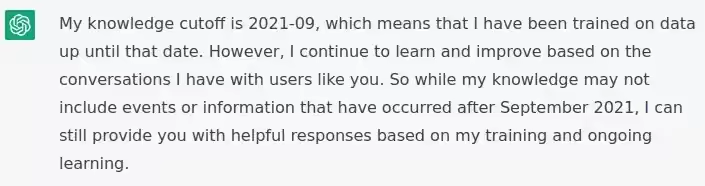
My knowledge cutoff is 2021-09, which means that I have been trained on data up until that date. However, I continue to learn and improve based on the conversations I have with users like you. So while my knowledge may not include events or information that have occurred after September 2021, I can still provide you with helpful responses based on my training and ongoing learning.
https://chat.openai.com/chat
Not only Chat
While the AI Chat is something to be seen another revolution is happening around us. That is AI Art. The AI bot has learned to paint, draw and charcoal to bring you on demand - high-quality art from just a few written words.
See our post on AI-generated awesome free images to see what the fuss is all about and have some fun creating art from the text.
How do you get free images for use on your website? Free of distracting watermarks and high quality images?
You may be a great webmaster and can write brilliant posts but not so good with the graphics? Maybe you need a picture to support your post that has everything you want, but isn't available on the web to buy or even borrow.
Make it yourself
Sounds simple, but if you are not an artist or have any artistic capabilities this seems to be a wall that is just too high. Even if you could knock something up, would it be good enough, would it take too long, would it do your topic justice and would you be happy with it?
Any answer No to the above and we can point you in an unusual but satisfying direction.
Our Astronaut
Out astronaut took about 10 minutes in total. This includes making a coffee while the image rendered. He (or She) or should it be just 'They' didn't cost any money to make and I did not have to download any software to use it.
A free (as in free beer), high quality image that is free (as in free to use) custom image that was made specifically for this post. Unique in itself and free to be copied. (Yes, if you want to use it, go ahead) but I believe you can do better with the tools I can show you to use.
No Downloads
No software to download, no apps to install. All on a laptop (but you can use your phone) because it is all done in a browser.
Free
Free in both meanings of the word. No cost to pay and no restrictions or copyright to buy. It is nice to give a credit to the tool and the tool makers are quite insistent that you can't say that 'you made it'. Although you had a hand in making it, the tool actually rendered the image and its the tool (tools) that get the credit for the work.
The tool uses credit and credits are issued daily, for free. This keeps the service from being overloaded and available to all. You can buy credit, but the free credits accumulate quickly if you claim them every day.
The 'cost' of rendering images is just credits and these are issued to you for free, so no costs are accrued in the making of the pictures.
Name the tool already!
So the name of the tool is nightcafe.studio.
NightCafe.studio is an AI Art Generator that can Create beautiful art in seconds with the help of Artificial Intelligence.
The power of Artificial Intelligence is leveraged to produce some stunning pictures from just a few words of input.
Simple
To use the AI to make an image just enter a few words to describe the scene you want to create. This is what we asked for:
spaceman with helmet visor reflecting a google logo
This is what the AI produced for us:

The settings allow use of different AI Bots and a huge range of pre-set themes to give you the style you are looking for. If the image isn't right, alter your text input to modify the output or choose a different output.
The 4 images cost 1 credit (you can get 5 credits a day, for free). One image stood out about the other 3. That single image was selected and downloaded.
The google logo did't appear, but I am guessing that a copyrighted logo is a no-go, but it did contribute to some nice colours?

One image stood out form the rest and that single image can be downloaded.
Having 4 images is a time saving option. It costs more credits but you can see more results in a single pass. We got our image in just one pass. That's amazing and didn't cost a penny. Thank you to nightcafe.studio
Simple
In just a few, very simple steps we have our image. No cost, free to use. Our Astronaut stands proudly at the top of our page.
You are not restricted to space themes. If you need some inspiration on what can be done with the nightcafe.studio then head over to their explore gallery that showcases the work others have done. These are not free to use but do show you what can be achieved with the powerful tools available in AI image generation.
Square
The resulting image is generally rectangular at 512px X 512px. But you can see in our banner image, also shown below that the picture is wide and more coloured space in the background. This effect is created by another free tool that we talk about how you can use this very easily, here.

Is ChatGPT AI Bot Bad for Ranking?
LLM Chat Bot March 26, 2023 0
Getting to the top of google is the main goal for a website. Having new tools available like the AI powered Large Language Models like ChatGPT can help you move up the ranks.
If you thought your site would be instantly penalised by google for using a Chat bot like ChatGPT to create content then you may be surprised. Google doesn't care how the content was written. What google wants to see is good quality, unique, authoritative content, well presented and easy to access.
Its called EEAT - Expertise, Experience, Authoritativeness and Trustworthiness
If your AI ChatBot can churn out text that matches the EEAT experience and you can make it accessible then you will be golden. Have a good menu, alt text, H1, H2 schemes and all those SEO features to make it easy to find and read to get noticed.
Further reading provided by google is available on their site, here.
Bad Bots
The understanding that AI generated text is bad came from the past, before ChatGPT became common. Old style AI text generation was of very low quality, it didn't add to the site and was just used for keyword stuffing. This is a black hat SEO trick that fooled search engines into ranking the site higher than it is actually worth.
Good Bots
The quality of AI generated text from tools like Bard and ChatGPT are a world away from the old tools. These new AI Bots can make really good text that can actually pass as human written. If you give the AI the right prompts it can really improve on your original idea to make it more readable. Google wouldn't even know it was AI generated because the generated text can be of sufficient quality.
Errors
Watch out for errors in the AI LLM results. Having errors can affect your site because facts are key pillars of EEAT (Expertise, Experience, Authoritativeness and Trustworthiness). Proof reading is important to fact check, not so much typos, but the AI can 'Hallucinate' and create errors in your text.
ChatGPT
We invited ChatGPT to joins us in this post and asked it the question below:
write 300 words on how ChatGPT can write website content
As a language model trained on a massive corpus of text data, ChatGPT is well-equipped to write high-quality website content. With its vast knowledge of various fields, including technology, marketing, finance, and more, ChatGPT can create content that is not only informative but also engaging for readers.
One of the key advantages of using ChatGPT to write website content is its ability to generate text quickly and accurately. Whether you need product descriptions, landing pages, blog posts, or any other type of content, ChatGPT can produce it in a matter of seconds, saving you time and effort.
Moreover, ChatGPT can tailor the content to your specific needs, such as your brand voice, target audience, and SEO requirements. It can incorporate relevant keywords and phrases to improve your website's visibility in search engine rankings and help attract more traffic to your site.
Additionally, ChatGPT can provide a fresh perspective on your website content, bringing in new ideas and insights that you might not have considered before. With its natural language processing capabilities, it can understand the context of your business and industry, and produce content that resonates with your audience.
Furthermore, ChatGPT can also help you streamline your content creation process by automating repetitive tasks. For example, you can use ChatGPT to generate social media posts, email newsletters, or product descriptions in bulk, freeing up your time to focus on other aspects of your business.
In summary, ChatGPT can be a valuable asset to your content marketing strategy, helping you create high-quality, engaging, and SEO-friendly content quickly and efficiently. By leveraging the power of AI, you can elevate your website content and provide a better user experience for your audience.
https://chat.openai.com/chat
This passage took seconds for the AI to produce, much quicker than I can type.
Other Uses
While AI is often used for content creation it can also do many of the back office work. It is particularly good at coding and HTML/CSS.
Have a look at how ChatGPT wrote some basic CSS for us.
Write a limerick about a fish.
LLM Chat Bot March 25, 2023 0
Asking the Large Language Models (LLM) Chat Bots silly things is a good use of their time. Avoiding any requests for factual information will help keep things correct. This is because they don't fact check anything. Ask for a joke, limerick, their ideas about the future or just an opinion for some chat that won't be factually embarrassing for the Bot.
We asked Bard during the experimental phase this question that was prompted by some previous searches by other people.
Bard gives 3 versions of its output for each question input given. They are called drafts.
Write a limerick about a fish.
Draft 1
There once was a fish from the deep,
https://bard.google.com/
Whose scales were so shiny and sleek.
He swam all day,
And he ate all the prey,
And he never once had to speak.
Draft 2
There once was a fish named Jazzy,
https://bard.google.com/
Whose color was really snazzy.
She took a dip in the doom,
And swallowed a broom,
Then stumbled into her friend Ponzi
Draft 3
There once was a fish named Jazzy,
https://bard.google.com/
Whose color was really quite snazzy.
She took a dip in the doom,
And swallowed a broom,
Then stumbled into her friend Ponzi.
ChatGPT
We gave ChatGPT from open.ai the same challenge
Write a limerick about a fish.
There once was a fish in the sea,
https://chat.openai.com/chat
Whose scales shimmered so brightly.
With a flick of its tail,
It would dart and it sail,
A majestic sight for all to see.
You are presented with only one result when using ChatGPT but there is a button to 'Regenerate response'. This will reissue the request and the chat bot will have another attempt at the text generation for you. Pick the one you prefer or mix it up and take parts of one and parts of another. See our post on Springboarding with AI.
Your turn
We would love to hear your AI inspired limericks please comment below